Haystack in production
Serve agents.
Inspect runs.
Serve REST APIs, OpenAI-compatible chat, MCP tools, and A2A agents. Keep work durable and inspect executions from your terminal.
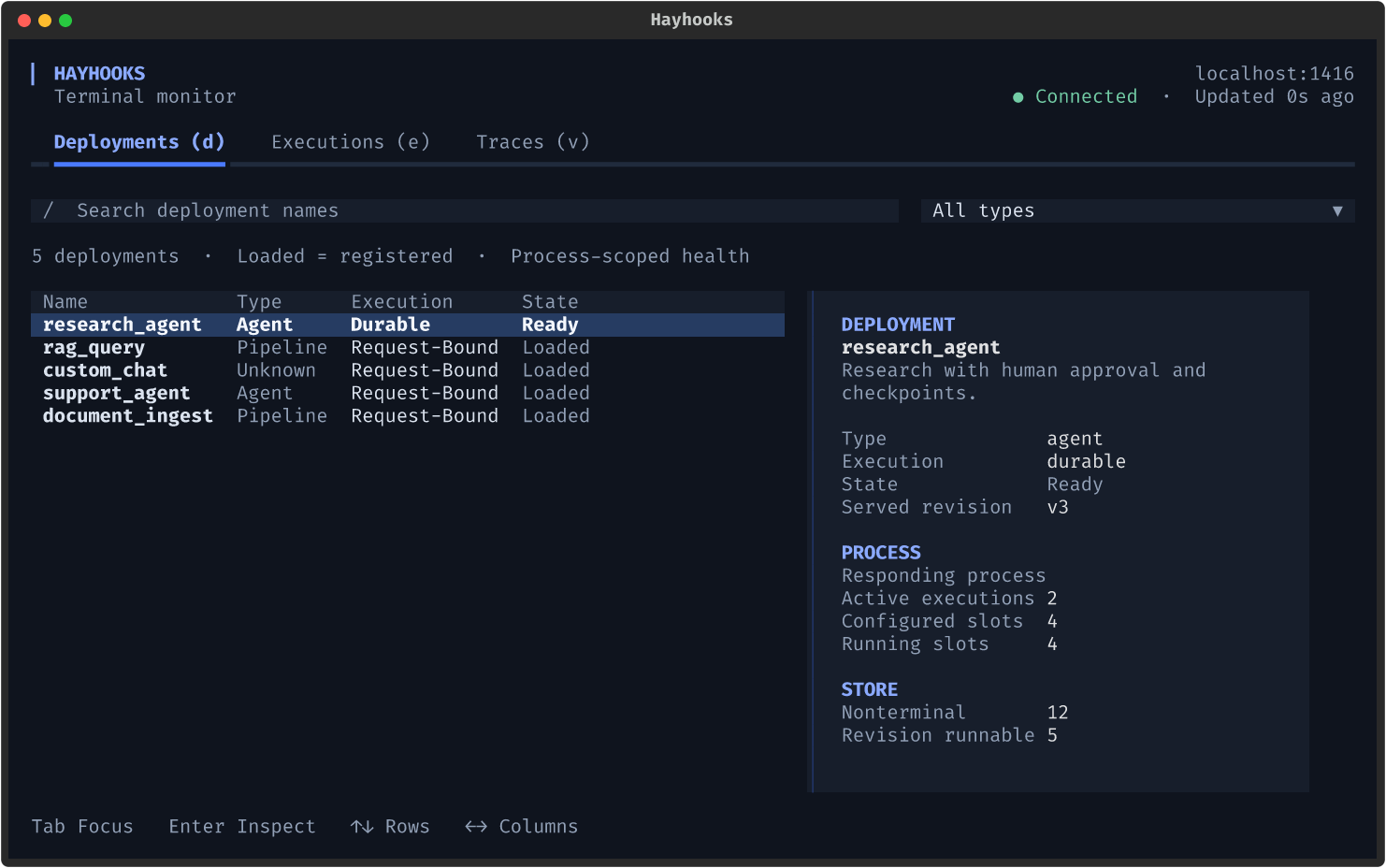
Actual terminal UI with demo data. Select the image for full size.
Serve it where your users work.
| Interface | What it gives you |
|---|---|
| REST APIs | Typed inputs, validation, OpenAPI docs, file uploads, and custom routes |
| OpenAI-compatible endpoints | Streaming chat completions and Responses API support |
| MCP support | Pipeline tools for Cursor, Claude Desktop, and other MCP clients |
| A2A support | Discoverable agent cards and agent-to-agent delegation |
| Open WebUI / Chainlit | Chat interfaces for deployed pipelines and agents |
One place to understand a run.
Start with the health of a deployment. Follow its execution. Open the trace and find the component that took the time.
- Deployments
Pipeline and agent metadata, endpoint capabilities, and durable process health. Pressd. - Executions
Recent ordinary runs beside paginated durable history. Inspect state, attempts, progress, and waiting reasons. Presse. - Traces
Filter activity, compare timing, and open an expandable component tree with a terminal waterfall. Pressv.
pip install "hayhooks[tui]"
hayhooks run
On macOS or Linux, open a second terminal under the same OS account. For Windows or remote access, follow the connection guide:
hayhooks dashboard
Run a deployed pipeline, then press e for executions or v for traces.
The dashboard is read-only. Ordinary runs come from a bounded buffer in the responding process; durable history follows the execution store's retention. Standalone MCP and A2A servers have separate trace buffers that this dashboard cannot inspect.
Let the work survive the restart.
An agent researching for ten minutes. A pipeline waiting for approval. A deployment while a job is still running. Durable execution checkpoints work in Redis and resumes it from the last checkpoint on any replica.
stateDiagram-v2
    direction LR
    [*] --> queued: submit
    queued --> running: claim
    running --> waiting: human approval
    waiting --> queued: resume
    running --> queued: retry or recovery
    running --> completed